






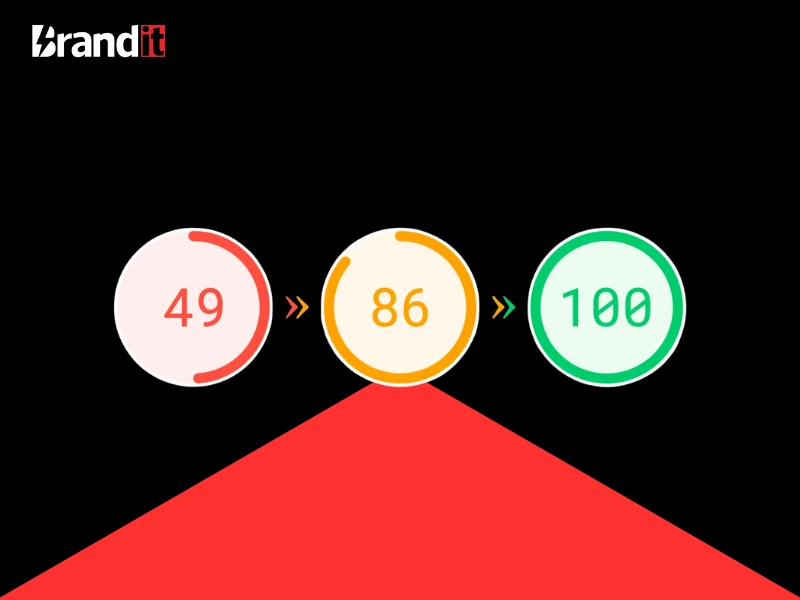
Did you know that a single extra second of loading time can be enough to lose a visitor who will never come back? On today’s internet, website speed is no longer a nice extra. It is a decisive factor in whether users stay or leave. Visitors want a website that opens instantly, and search engines, led by Google, reward fast websites that respect users’ time and offer smooth browsing without waiting.
Improving website speed is no longer a complex technical task. It is a core strategic step for any website’s success in 2026 and beyond. A fast website means a better user experience, a lower bounce rate, and more trust, all of which support stronger search rankings. In this guide, you will learn the most important steps to improve website speed and the best tools to measure performance and fix the causes of slowness, so you can build a fast website that feels comfortable from the first visit and gives you a real edge over competitors.
What Does Improving Website Speed Mean?
Improving website speed means making your pages load and display their content as quickly as possible, without delays or frustrating waits. But it is more than a technical speed-up. It is an experience visitors feel from the first click, one that signals professionalism, builds trust, and shows users that the website respects their time.
When your website is fast, you are not just improving numbers. You are improving the impression. Loading speed directly affects whether visitors stay or leave, and whether they are willing to engage or buy. That is why website speed has become a smart marketing lever before it is a technical step, because it combines user satisfaction, SEO strength, and more conversions at once.
How to Measure Your Website Speed Accurately Before Optimizing
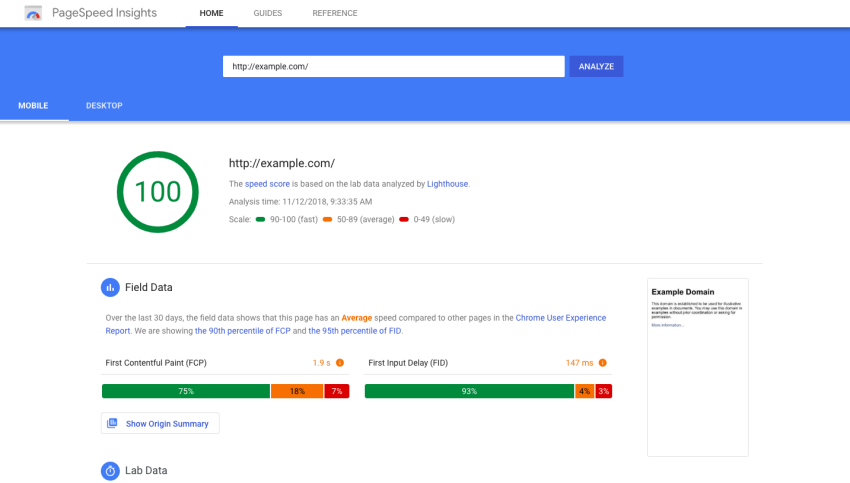
Before you take any step to improve website speed, you need a clear view of how your pages currently perform. Accurate measurement is not just numbers. It is a real diagnosis that shows where the problem lies: Is it the images? The server? The user experience itself? Without measurement, you work randomly and may waste effort on elements that do not actually affect speed.
Fortunately, professional tools give you a detailed picture of your website’s speed from both the search engine and the user perspective. They do not just show loading time. They explain the causes of slowness, measure performance against Google’s standards, and help you set optimization priorities before making any technical decision.
The most important website speed testing tools:
Google PageSpeed Insights
Google’s official tool for measuring page speed on mobile and desktop. It gives you a clear color-coded rating (green, orange, red) and reports based on Core Web Vitals, with practical suggestions for improving performance in line with Google’s requirements.
GTmetrix
An advanced analysis tool that reveals detailed page load timing, file sizes, and the number of requests. It helps you see exactly which elements slow your website down and is ideal for diagnosing deeper technical issues.
Pingdom Tools
Focuses on the real user experience and gives you a complete assessment of website performance and server speed. Many website and online store owners use it because its results are easy to read.
What do Core Web Vitals mean?
They are core metrics developed by Google to measure the real user experience on a page:
- LCP (Largest Contentful Paint): how quickly the main element on the page loads.
- INP (Interaction to Next Paint): how quickly the page responds to user interactions. INP replaced FID (First Input Delay) as a Core Web Vital in March 2024.
- CLS (Cumulative Layout Shift): how stable page elements are while loading.
These metrics give you a realistic judgment of your website’s speed from both Google’s and the user’s perspective. After analyzing them, you can easily tell whether your website needs technical optimization, image compression, a hosting change, or user experience improvements before moving to the next step.
How Does Website Speed Affect SEO and User Experience?
Website speed is no longer a secondary technical factor. It plays a real part in who ranks at the top and who disappears behind competitors. Understanding SEO strategy as a whole helps you see how technical factors work together with content and user experience to give you the best chance of appearing in search results.
1. How website speed affects SEO
Since Google introduced Core Web Vitals as part of its page experience signals, speed has become something you cannot ignore. A slow page sends negative signals, even if its content is strong, because slowness usually means a poor user experience.
When your website is fast:
- Search engines can crawl more pages in less time (better crawl efficiency).
- Bounce rates drop, which is an important sign of user satisfaction.
- Your chances of ranking improve, especially in competitive searches.
- Users are more likely to stay and engage after clicking, which supports your results over time.
2. How website speed affects user experience (UX)
Users do not wait. Two extra seconds of loading can mean losing the visitor completely. A fast website creates an instant impression of professionalism and trust, while a slow one creates frustration and pushes users to leave before reading the first line.
Speed is a core part of website user experience, because every element on the page, from design to ease of navigation, affects how visitors interact with the website.
Website speed directly affects:
- The first impression of your brand.
- How long users stay on the page.
- How easy it is to browse and move between your pages.
- Willingness to take action (buy, sign up, get in touch).
The faster the website, the more comfortable users feel, and the more likely they are to turn from casual visitors into real customers.
The Main Causes of Slow Websites
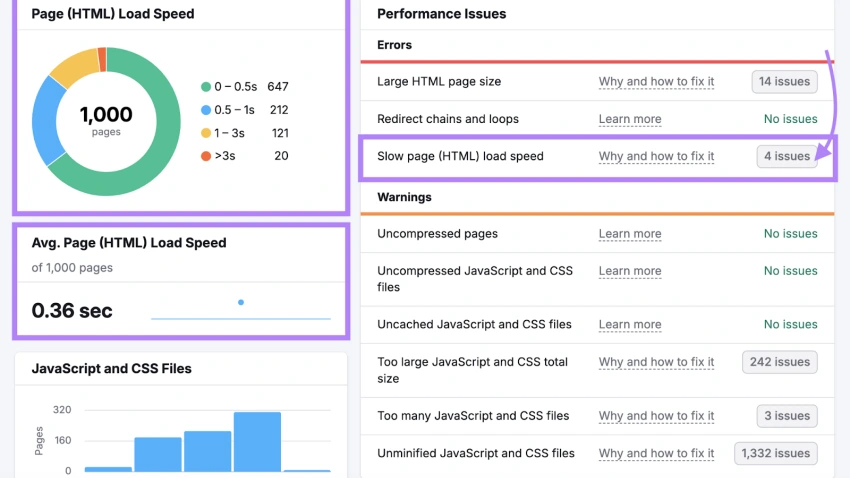
A slow website does not happen by chance. It is the result of accumulated technical mistakes and poorly thought-out decisions that make pages heavier with every visit. The real problem is that these causes do not only affect loading speed. They hurt user experience, weaken search engine trust, and cost you real chances to rank and convert. Understanding the causes is the first step to the right fix, because speed optimization starts with identifying the real bottleneck, not with tools.
1) Weak or unsuitable hosting: Hosting is the foundation the website is built on. A slow server, limited resources, or crowded shared hosting means slower responses no matter how well the site is optimized. A slow server response time alone can undo every other speed improvement.
2) Large, unoptimized images: Uncompressed high-resolution images are among the biggest enemies of speed, especially on phones. Loading huge images in old formats wastes time and bandwidth and makes the page heavy from the first moment.
3) Excess CSS and JavaScript: Unused code, uncompressed files, or scripts that load before the main content slow down page rendering. So-called render-blocking resources make visitors stare at a blank screen before they see any content.
4) Too many plugins in your CMS: Every plugin adds new requests to the page. Overusing them, especially unnecessary ones, increases load time, raises the risk of conflicts, and weakens overall performance.
5) No caching or CDN: Without caching, the page is rebuilt from scratch on every visit. Without a CDN, distant visitors must wait for content from a single server. The result: slower loading and an uneven experience for users in different locations.
6) Loading external scripts carelessly: Tracking tools, ads, and third-party services may be necessary, but if they are not loaded smartly (async or defer), they add a direct delay to page speed.
Practical, Organized Steps to Improve Website Speed
Now that we have identified the causes of slowness, it is time to act. Speed optimization does not depend on a single fix. It depends on a set of connected steps that work together to cut load time, reduce resource use, and directly improve user experience. Below is a clear, practical plan. Each step addresses a specific cause of slowness and leads to a faster, more stable, more scalable website.
1. Image Optimization
Images are among the largest data consumers on any page. They are often uploaded at larger dimensions and file sizes than needed, which increases load time for no real benefit. Start by resizing images to the actual display size on your website, then compress them with tools that preserve quality while reducing size significantly. Use a modern format such as WebP, which offers high quality at a smaller size, and enable lazy loading so images load only when needed.
Result: a clearly smaller page and faster display of the main content, especially on mobile devices.
2. Enable Browser Caching
Without caching, the browser downloads the same files on every visit even if they have not changed. This wastes time and increases requests to the server. Browser caching lets the browser keep a copy of static files such as images, CSS, and JavaScript for a set period.
Result: faster loading on repeat visits, less load on the server, and noticeably better response times.
3. Minify Code Files
HTML, CSS, and JavaScript files often contain spaces and comments the browser does not need. They do not affect functionality, but they increase file size and load time. Minification removes these extras without affecting how the website works, and you can also combine files to reduce the number of requests.
Result: lighter files, fewer requests, and faster page rendering.
4. Use a Content Delivery Network (CDN)
When a website is hosted on a single server, visitors from different regions must load data from the same geographic source, which increases response time. A CDN distributes your website’s content across multiple servers around the world, so each user gets data from the server closest to them.
You may also find our guides on website indexing in search engines and SEO meta data useful.
Result: faster access to content, more consistent performance worldwide, and better speed metrics.
5. Reduce Plugins and Redirects
Every installed plugin adds files and code that load with the page, and too many can cause noticeable slowdowns or internal conflicts. Excessive redirects also add extra requests before the final page loads. Review your plugins regularly, remove the unnecessary ones, and keep redirects to a minimum.
Result: a lighter, more stable website without unjustified load time.
6. Use Fast, Reliable Hosting
Even with all the previous improvements, a website can stay slow if the hosting is weak or not built to handle its traffic. Choosing hosting with enough resources and low response time is the real foundation of any fast website.
Result: faster server responses, stable performance under load, and room to grow without losing speed.
7. Enable Lazy Loading
When a page loads, there is no need to load every image or video at once, especially those further down the page. Lazy loading makes off-screen elements load only when the user scrolls to them.
Result: faster initial page load, a better user experience, and less data usage.
The Best Tools for Improving Website Speed and Analyzing Performance
After applying the speed steps, the next important stage is choosing the right tools. The right tool does not just show numbers. It points you to the cause of the problem and the best way to fix it without technical complexity. Whether you run a WordPress website, an online store, or a content site, these tools give you a clear view of your performance and help you achieve higher speed, a better user experience, and tangible SEO results. Here are the most powerful and widely used tools:
1. WP Rocket
An all-in-one plugin and one of the strongest speed solutions for WordPress. It combines caching, file compression, optimized JavaScript and CSS loading, and lazy loading in one easy dashboard. Ideal if you want fast results without complex settings.
2. LiteSpeed Cache
An ideal choice for websites running on LiteSpeed servers. It offers strong caching, WebP support, and comprehensive page optimization. It is free and delivers results close to paid tools.
3. Autoptimize
A tool specialized in code optimization. It compresses and combines HTML, CSS, and JavaScript files and reduces requests, which directly improves loading speed and PageSpeed results.
4. Smush
A professional image compression tool that preserves quality. It supports conversion to WebP and automatically optimizes both old and new images, reducing page size and improving overall performance.
5. Cloudflare CDN
More than a CDN, it is a complete platform for speeding up and protecting websites. It distributes content across a global server network, reduces response time, adds a strong security layer against attacks, and works for every type of website, not just WordPress.
6. GTmetrix
A precise analysis tool that reveals everything slowing your website down: load time, page size, number of requests, and element performance. Its detailed reports make it an essential reference before and after any optimization.
7. TinyPNG
A simple, effective way to compress images significantly without losing quality. It suits image-heavy websites such as online stores and creative portfolios.
8. Google PageSpeed Insights
Google’s official tool for evaluating website performance against Core Web Vitals. It gives you a clear view of the user experience on mobile and desktop, with direct recommendations for improving technical SEO.
Common Mistakes That Slow Your Website Despite Optimization
You may use the best speed tools, compress images, and enable caching and a CDN, yet still not reach the speed you expect. The reason is usually not a lack of tools but hidden mistakes that cancel out the effect of your improvements. These mistakes are very common, and many website owners make them without noticing, turning their speed efforts into limited or temporary results.
Here are the most important mistakes that silently kill website speed:
- Relying on one plugin to do everything: A common mistake is expecting one magic plugin to solve every speed problem. In reality, website speed is a complete system (hosting, images, code, site structure). A good plugin helps, but it cannot make up for a weak technical foundation or a poorly organized website.
- Plugin conflicts: Running more than one caching or code optimization plugin at the same time often causes JavaScript and CSS conflicts, leading to slowdowns or hidden loading errors. More plugins do not mean more speed. They can mean the exact opposite.
- Compressing images without fixing their dimensions: Even after compression, if an image’s dimensions are larger than the space it occupies on the page, the browser still downloads unnecessary data. Compression alone is not enough. Always upload images at the right dimensions for their actual use.
- Ignoring server response time: However strong your on-site optimizations are, a slow server remains a bottleneck. Slow server responses make every other improvement less effective, especially on the first page load.
- Loading unnecessary external scripts: Ad code, tracking tools, external fonts, and widgets may look harmless, but they add external requests that delay loading. Every external script should have a clear reason and real value.
- Not reviewing performance after each change: Applying optimizations without measuring results is a common mistake. Any change to plugins, the theme, or content can affect speed positively or negatively. Regular reviews with measurement tools keep performance stable.
- Focusing on scores and ignoring user experience: A PageSpeed score of 90+ does not necessarily mean an excellent user experience. Sometimes a page is fast on paper but confusing or clunky to use. Real speed is what visitors feel, not just what the tool reports.
Website speed is the first thing users feel, and schema markup is the next step that helps Google understand what you offer. A fast website without structured data can perform well, but it does not use its full potential in search results. This is where schema markup connects strong technical performance with an accurate understanding by search engines.
Speed reduces bounce, and schema strengthens visibility. The result is stronger pages, richer results, and a higher click-through rate without any tricks. If you have already started improving your website speed, the natural next step is to structure your content with schema, telling Google clearly: What type of page is this? What is its value? Why does it deserve to appear?
Our next guide explains in detail what schema markup is and how to use it correctly so you get the most from every second of speed you have gained. If you would rather have these steps handled professionally without spending your own time, explore our professional SEO services.
Sources
- Understanding Core Web Vitals and Google search results، Google Search Central
- About PageSpeed Insights، Google for Developers
- Web Vitals، web.dev