





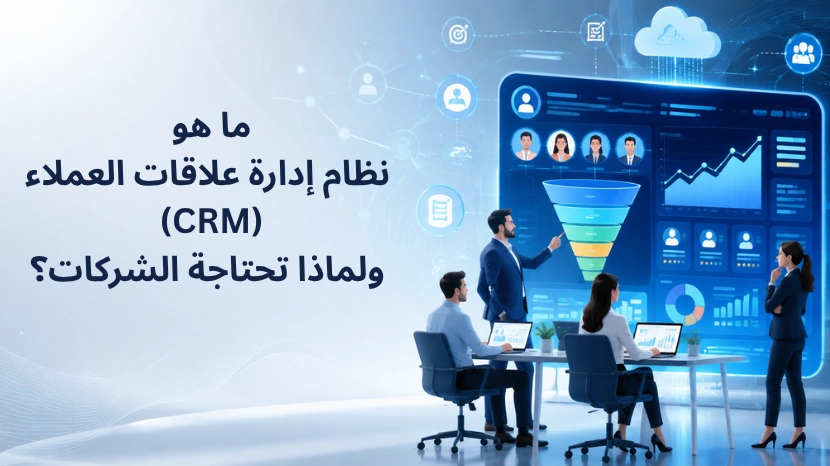
In today’s business world, companies face growing challenges in managing customer data effectively. Lost contact details, forgotten follow-ups, and missed sales opportunities have become everyday problems that hold back growth. As the number of customers and communication channels grows, it becomes harder to maintain a strong, lasting relationship with every customer.
This is where a customer relationship management (CRM) system comes in as a strategic solution that helps companies organize, improve, and grow sustainably. A CRM is not just a piece of software. It is a complete way of working aimed at building long-term relationships with customers.
With a modern CRM, companies can bring every customer interaction into one platform, which makes follow-up easier, improves customer service, and raises conversion rates. In this complete guide, we cover everything you need to know about customer relationship management and how a CRM can change the way your company works for the better.
What Is a Customer Relationship Management (CRM) System?

A customer relationship management system, or CRM, is an integrated platform designed to manage all of a company’s interactions with current and potential customers. It collects customer data from multiple sources and stores it in a central customer database, making it easy to access, analyze, and use to improve business relationships.
CRM Definition and Core Concept
At its core, a CRM system is more than a software tool. It is a business strategy that puts the customer at the center of success. Customer Relationship Management means managing customer relationships systematically across every stage of the customer journey, from first contact to after the sale.
Historically, the need for CRM systems grew as businesses evolved and their operations became more complex. In the past, companies relied on paper files and Excel sheets to manage customer information. But as customer bases grew and communication channels multiplied (phone, email, social media, websites), these methods became inefficient and error-prone.
Traditional Customer Management vs. CRM
Traditional customer management usually relies on separate files and individual effort, which makes accessing customer data and tracking the customer journey harder as the company grows. The result is lost information, poor data sharing between departments, duplicated follow-ups, and difficulty making accurate, data-driven decisions.
A CRM, by contrast, provides a central platform that gathers all customer data and interactions into one complete profile. This helps sales, marketing, and customer service teams access up-to-date information and communicate better with customers at every stage of the journey.
In this way, a CRM turns customer management from a disorganized process into an institutional system built on customer data management, better customer experience, more efficient employees, and more sales opportunities.
How Does a CRM Collect and Organize Customer Data?
A CRM collects customer data from multiple sources and organizes it in a single database, giving the company a complete view of each customer and helping teams track interactions and make more accurate decisions. The system manages different types of customer data, including:
- Basic contact details: such as the customer’s name, phone number, email, and other contact information, building a complete profile for each customer.
- Interaction and communication history: calls, messages, meetings, inquiries, and quotes sent, so employees know the full history of the relationship.
- Purchase and transaction history: products or services bought, order values, and dates, which helps you understand customer needs and buying behavior.
- Preferences and behavior: such as interests, engagement with marketing campaigns, and preferred services, so you can offer more personalized offers and experiences.
By organizing this data in a CRM, companies get accurate, up-to-date information about their customers, improve follow-up, and make sales and customer service more efficient.
How Does a CRM Work in Customer Management?

To understand how a CRM works, follow the customer journey inside the system from the first interaction with your company to after the sale. A CRM turns customer management from unorganized manual tasks into clear, data-driven steps, which makes sales, marketing, and customer service teams more efficient.
1. Lead Generation
The customer journey in a CRM begins when someone interacts with the company for the first time through a marketing channel. The system records the lead’s details and creates a profile that grows as communication continues, so the company does not lose new opportunities and understands where each customer came from and how interested they are.
Lead data can come from website contact forms, digital ad campaigns, social media, referrals from existing customers, or trade shows and business events.
2. Customer Data Management
Once a lead comes in, the CRM collects and organizes all their information in a central database, creating a complete profile that every relevant department can access easily.
This data includes basic contact details, the lead source, the products or services they are interested in, sales team notes, and past interactions. This organization helps the company understand customer needs better and communicate more precisely based on the customer’s history.
3. Follow-up Management
Follow-up is one of the most important CRM functions. The system organizes communication and makes sure no sales opportunity is lost because of a late follow-up or poor coordination.
A CRM gives the sales team a clear view of the last interaction with each customer, upcoming tasks, and who owns each follow-up. It also helps schedule calls and meetings, record outcomes, and keep a full history of every interaction.
4. Sales Pipeline Management
Managing the sales pipeline is one of the biggest benefits of a CRM for sales teams, because it lets you track every opportunity from first contact to closing the deal.
The sales pipeline gives a clear view of where each deal stands, helping sales managers set priorities, forecast revenue, and improve team performance. Typical stages include initial qualification to understand the customer’s need, presenting the right offer, negotiation, and then closing the deal or analyzing why it did not close.
5. Post-Sale Service
A CRM’s role does not end once the sale is made. It helps companies build long-term relationships by managing the post-purchase stage.
The system lets you log support requests and complaints, track customer satisfaction, offer additional services, and spot repeat sales opportunities. A full customer history also helps customer service teams deliver faster, more personalized solutions, which improves the customer experience and builds brand loyalty.
By organizing customer data, improving follow-up, and managing every stage of the customer journey, a CRM helps companies make sales teams more efficient and turns customer management from individual effort into an organized, data-driven system. That increases the chances of closing deals and achieving sustainable growth.
Why Do Companies Need CRM Systems?
As customer numbers grow and operations expand, managing customer data the traditional way is no longer enough to maintain quality communication and strong sales results. A CRM provides a complete solution that helps companies organize customer information, track the customer journey, and turn data into decisions that support growth and improve customer experience. Companies need CRM systems for the following reasons:
- Organizing customer data in a single database: The system brings all customer information and interactions into one place, making it easy to access and share across departments.
- Reducing lost sales opportunities: A CRM helps you follow up with leads and organize sales stages, reducing opportunities lost to weak follow-up or delayed contact.
- Improving customer experience and building loyalty: The system keeps a full record of every customer interaction, so the company can provide faster, more personalized service.
- Making teams more efficient: It helps employees organize tasks, automate follow-ups, and spend less time on manual work.
- Making data-driven decisions: CRM reports provide accurate insights into sales performance, customer behavior, and future growth opportunities.
- Supporting growth and expansion: The system helps companies manage more customers and operations efficiently, with the option to integrate with other systems.
Modern companies use a range of analytics tools alongside their CRM to get a fuller picture of business performance and growth opportunities.
Traditional Follow-up vs. CRM
Traditional follow-up relies on manual methods such as personal notes and scattered files, which makes customer management harder as the workload grows. This approach can lead to lost information, delayed follow-ups, difficulty sharing data between employees, and no clear view of each customer’s history with the company.
A CRM turns follow-up into an organized process built on a central database that holds all customer information and interactions in one place. It shows the communication history, sets upcoming tasks, tracks sales stages, and enables a more personalized customer experience, which makes the sales team more efficient and reduces customer churn.
Key Features of a CRM System
Modern CRM systems come with advanced features that help companies organize their operations, manage customers better, and make sales and marketing teams more efficient. CRM software does more than store customer data. It provides complete tools for managing the entire customer journey, from attracting leads to after-sales service.
Features vary from one system to another, but a core set of CRM features forms the foundation of any effective customer relationship management system.
Customer Data Management
Customer data management is one of the most important CRM functions. The system provides a complete profile for each customer with all related information, helping employees understand the customer’s full history and find key information quickly without searching multiple sources. This feature includes:
- Customer profile: all basic customer data such as contact details, company, interests, and services used.
- Interaction history: a record of all calls, messages, meetings, and notes related to the customer.
- Purchase history: the products or services the customer has bought and the value of past transactions.
- Preferences and interests: helps the company understand customer needs and offer more personalized offers and experiences.
- Multiple contact channels: stores different channels such as phone, email, and social media accounts.
This complete view of the customer’s relationship with the company helps sales and customer service teams act more professionally and improve the customer experience.
Lead Management
Lead management in a CRM helps companies organize the customer journey from the first interaction until the lead becomes a paying customer. It gives sales teams a clear way to follow up with leads and identify the most important opportunities. This feature includes:
- Automatic lead capture: recording details of leads coming from the website, marketing campaigns, and other channels.
- Lead classification and qualification: ranking leads by interest level and likelihood to buy.
- Smart lead assignment: routing leads to the right salespeople based on specialty, region, or type of request.
- Lead source tracking: knowing which marketing channels deliver the best results and conversion rates.
- Lead scoring: identifying the leads most ready to buy based on their engagement with the company.
These tools help companies make better use of sales opportunities, lose fewer leads, and focus sales efforts on the most valuable customers.
Sales and Marketing Automation (CRM Automation)
Automation is one of the most important features of modern CRM systems. It reduces manual tasks and speeds up daily work by carrying out repetitive actions automatically. CRM automation includes:
- Follow-up automation: sending automatic messages and reminders to customers based on their interactions or sales stage.
- Workflows: setting actions that run automatically when a specific event happens, such as sending a reminder after a customer views a quote.
- Task automation: creating tasks automatically for sales and customer service teams so follow-ups are never late.
- Quote automation: speeding up the creation of quotes based on customer data and requested products.
- Scheduled reports: generating performance reports and sending them to management without manual preparation.
Automation saves time, reduces human error, and lets employees focus on building customer relationships and achieving better results.
Reports and Analytics (CRM Analytics)
CRM analytics is one of the most valuable CRM features, helping companies turn customer and sales data into clear insights that support decisions. Through reports and dashboards, management can monitor performance, spot improvement opportunities, and understand customer behavior more accurately. Key analytics capabilities in a CRM include:
Dashboards
Dashboards provide a real-time visual view of key performance indicators such as sales, leads, and deal status.
- Sales reports: analyze sales team performance by employee, product, region, or time period to identify strengths and areas for development.
- Sales pipeline analysis: shows current deals, how far they have progressed, and how likely they are to close, which helps forecast future revenue.
- Customer analysis: identifies your most valuable customers, measures retention rates, and shows the long-term value of each customer.
These analytics help companies spot problems early, improve sales and marketing strategies, and make decisions based on real data. Data and analytics also help improve your digital channels, including on-page SEO, so your content reaches the right audience.
Customer Service and Support
A CRM is not only for managing sales. It also improves customer service and builds stronger relationships. The system helps support teams organize customer requests, track issues, and deliver faster, more efficient solutions. Key customer service functions in a CRM include:
- Support tickets: logging customer inquiries and complaints and tracking them until they are resolved.
- Knowledge base: ready-made answers to frequently asked questions to speed up service.
- Customer satisfaction tracking: measuring satisfaction after service is delivered and identifying areas to improve.
- Full communication history: showing all past interactions so employees can provide more personalized service.
This helps companies improve the customer experience, raise satisfaction, and build long-term loyalty.
Integration with Other Systems (CRM Integration)
Modern CRM systems work as part of a connected environment with many other tools. Connecting your CRM to the systems your company already uses unifies data and makes operations more efficient. Key integrations include:
- Email: connecting the CRM with tools such as Gmail and Outlook to log emails and track customer communication.
- Calendar and meetings: syncing appointments and meetings to keep follow-ups organized.
- Phone systems: linking calls to customer profiles and recording communication history.
- Digital marketing platforms: tracking marketing campaigns and measuring their impact on leads.
- Accounting and ERP systems: connecting sales, invoices, and payments for a complete view of each customer.
- Social media: tracking customer interactions across digital channels.
Integrating your CRM with other systems creates a unified working environment that saves time and effort, improves collaboration between departments, and gives a complete view of the customer journey.
Types of CRM Systems and When to Use Each
No single CRM platform suits every company. The right choice depends on your business, company size, number of customers, and how you run internal operations. CRM types differ by their main purpose: some focus on automating sales and marketing, while others focus on analyzing customer data or improving collaboration between departments. Here are the main types of CRM and how each is used:
1. Operational CRM
Operational CRM focuses on organizing and automating daily customer-related operations. It helps companies manage the sales cycle, follow up with leads, and run marketing and customer service activities more efficiently.
This type reduces manual work by automating follow-ups, managing the sales pipeline, organizing marketing campaigns, and tracking customer service requests. It suits companies with large sales teams or many customers that need a system to improve daily operations and employee productivity.
2. Analytical CRM
Analytical CRM focuses on analyzing customer data and turning it into information that helps companies make more accurate decisions. It relies on advanced reports and analytics to understand customer behavior and buying patterns and to measure the performance of marketing and sales campaigns. To go further, see our articles on CRM software for hospitals and clinics and CRM in Saudi Arabia.
Analytical CRM helps companies segment customers by interest, identify the most valuable customers, forecast future sales opportunities, and improve marketing strategies based on real data. It suits companies with a large customer base that want to use data to improve performance and return on investment.
3. Collaborative CRM
Collaborative CRM focuses on improving collaboration and sharing customer information between departments such as sales, marketing, and customer service, so the customer gets a unified, higher-quality experience.
This type unifies customer data across teams, prevents duplicated contact, and improves how interactions are managed across channels such as phone, email, and social media. It suits large companies with several departments dealing with the same customers that need to coordinate their efforts.
4. Cloud CRM
Cloud CRM is one of the most widespread types. The system is hosted in the cloud instead of on the company’s own servers, so customer data can be accessed from anywhere at any time.
Cloud CRM gives companies high flexibility: it is easy to use, has lower infrastructure costs, updates automatically, and lets you add users or features as the company grows. It suits small and medium-sized businesses as well as organizations with teams spread across different locations that need a fast, scalable system.
Choosing the right type depends on your company’s goals and needs. Companies that want to organize daily operations may need operational CRM, data-driven companies may benefit more from analytical CRM, and large organizations often need a solution that combines several types to get the most out of customer relationship management.
ERP vs. CRM: What Is the Difference?
Many companies confuse ERP and CRM. Both are enterprise management systems, but with a different focus. Here is how they relate and how they differ.
Both systems aim to improve company efficiency, but from different angles:
- CRM focuses on the front office: everything related to customers, sales, and revenue.
- ERP focuses on the back office: internal operations such as accounting, inventory, and human resources.
You can think of CRM as a system for growing revenue, and ERP as a system for improving efficiency and reducing costs. Here is a quick comparison:
| Comparison | CRM | ERP |
|---|---|---|
| Main goal | Increase sales and customer loyalty | Operational efficiency and lower costs |
| Main use | Managing customer relationships and sales | Managing internal operations and resources |
| Departments that benefit | Sales, marketing, customer service | Finance, inventory, HR, procurement |
| Type of data | Customers, deals, interactions, campaigns | Invoices, inventory, payroll, purchases, production |
| Impact on the company | Revenue growth and better customer experience | Higher efficiency and less waste |
| Scope | Narrower and faster to implement | Broader and takes longer |
| Best for | Companies focused on sales growth | Companies with complex operations and many departments |
Does Your Company Need a CRM or an ERP?
The choice between CRM and ERP depends on your company’s needs and goals. Each system focuses on a different side of the business: CRM handles customer relationships and sales, while ERP handles internal operations and company resources.
Choose a CRM if your priorities are managing customers and improving sales, such as organizing customer data, improving follow-up, losing fewer sales opportunities, making sales and marketing teams more efficient, and delivering a better experience at every stage of the customer journey.
An ERP is the better choice when the company needs to improve internal operations, such as accounting and finance, inventory and supply chain management, unifying data across departments, and making operations more efficient while reducing costs.
In some cases, companies need to integrate CRM with ERP to get a complete view that combines customer management with internal operations, which supports more accurate decisions and sustainable growth.
Can a CRM Be Integrated with an ERP?
Yes. Integrating CRM with ERP creates a connected working environment that combines customer management with internal operations. The integration lets data flow between the two systems, for example moving customer data from the CRM to the ERP to create invoices, or showing order and payment status inside the CRM so customers can be followed up more accurately.
Integrating ERP and CRM gives companies a complete view of customers and operations, which improves efficiency, reduces duplicate data, and raises customer satisfaction.
How to Choose the Best CRM for Your Company
Choosing the best CRM is not about having the most features. It is about how well the system fits your company’s needs and operations. It should help you organize customer data, improve sales team performance, and track the customer journey effectively.
When choosing CRM software, consider key factors such as company size, number of users, ease of use, integration with other systems, security, and cost. Also make sure the system integrates with the digital tools your company uses, including content visibility techniques such as schema markup.
A CRM has become a strategic necessity for companies that want to grow and improve their relationships with customers. By organizing data, automating follow-ups, and analyzing customer interactions, a CRM helps companies increase sales, improve customer experience, and make decisions based on accurate data.
A CRM does more than store customer information. It changes relationship management from a traditional approach into an organized, proactive process that supports sustainable growth. That is why investing in the right CRM is an important step for any company that wants to strengthen its competitiveness and build long-term customer relationships.
Frequently Asked Questions About CRM Systems
What is CRM?
CRM stands for Customer Relationship Management. It is a platform that brings all of a company’s interactions with current and potential customers into one place, making follow-up easier, improving service, and increasing sales by organizing data and automating processes.
What are the benefits of a CRM for companies?
CRM benefits include: organizing customer data and preventing it from being lost, increasing sales through better follow-up, improving customer experience through personalization, raising employee productivity by automating routine tasks, and making better decisions based on accurate reports and analytics.
Is a CRM suitable for small businesses?
Yes, and it may be even more important for small businesses. Modern cloud CRM systems are built with small businesses in mind, offering low costs, fast setup, and a simple interface. They help small businesses compete with larger ones by organizing sales and customer processes better.
What is the difference between CRM and ERP?
The key difference is that CRM focuses on customer relationships, sales, and revenue (the front office), while ERP focuses on internal operations such as accounting, inventory, and HR (the back office). CRM grows revenue, ERP improves efficiency and reduces costs.
Does a CRM help increase sales?
Yes. A CRM helps by enabling faster follow-up with leads, better sales pipeline management, offers tailored to each customer’s history, and fewer deals lost to forgotten follow-ups. The actual impact depends on how well the system is set up and how consistently your team uses it.
How do I choose the right CRM software?
Choose based on your company size and number of users, budget and total cost, ease of use and implementation, security and data protection features, integration with your current systems, and the quality of support and the vendor’s reputation. Start with a free trial before committing to make sure the system fits your needs.
If you would rather have these steps handled professionally without spending your own time, explore our CRM design service.
Sources
- What Is CRM (Customer Relationship Management)?، Salesforce